Built by teachers, for teachers.
No training courses needed. Your first grade table is ready in two minutes — from importing the class list to entering the first grade.


Student data is among the most sensitive information a teacher handles. That is why ClassTiles is built to run entirely locally on your device — no user account, no server in the background, no tracking.
All grade, student and documentation data stays solely on your iPad, iPhone or Mac. You need no cloud for the full feature set: the app works completely offline, and your data never leaves the device.
If you want to work across several devices, you can deliberately enable iCloud sync; WebDAV is available as an alternative. Both are entirely your choice — leave them off and local operation is unaffected.
Protected even fully without the cloud: you can save and restore your data as a local backup at any time — no internet, no third-party servers. So you stay protected even if you deliberately opt out of any synchronisation.
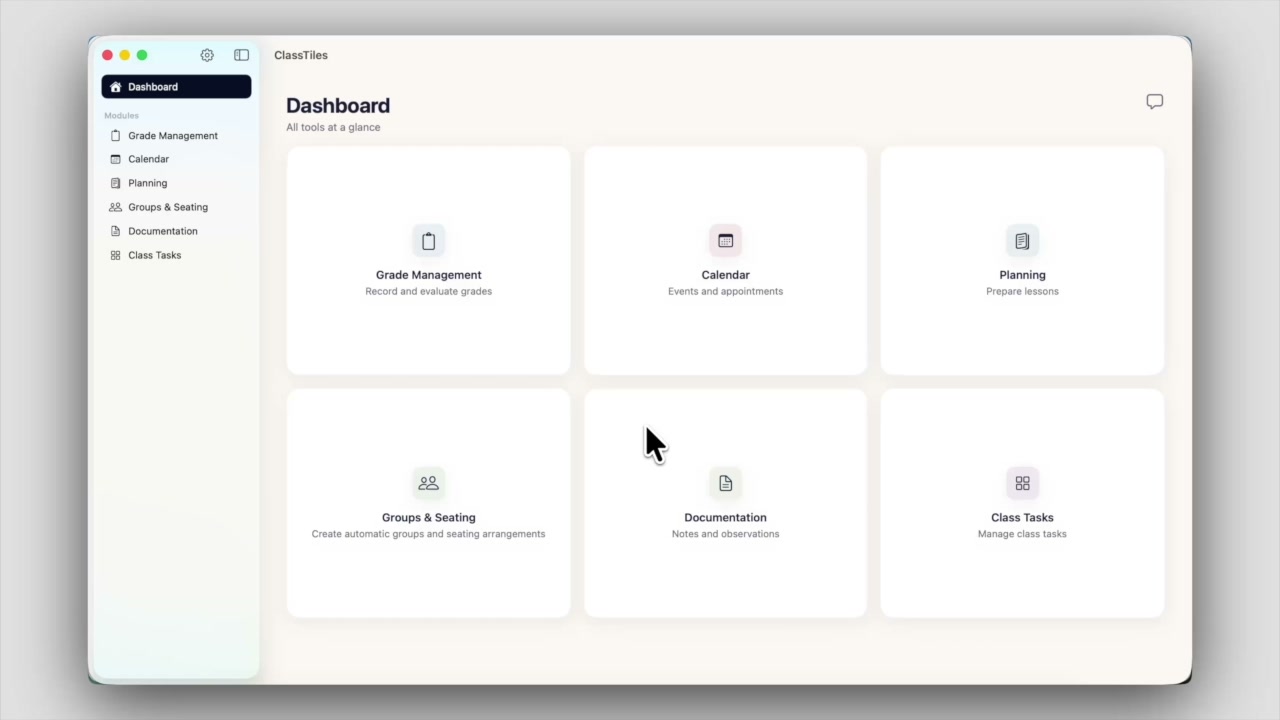
Import your class once; it is available everywhere from then on. Tap a module for the details.
One shared database. Students are imported once — from a CSV, from a PDF, or photographed with the camera — and can then be used in every module. No second list to maintain.
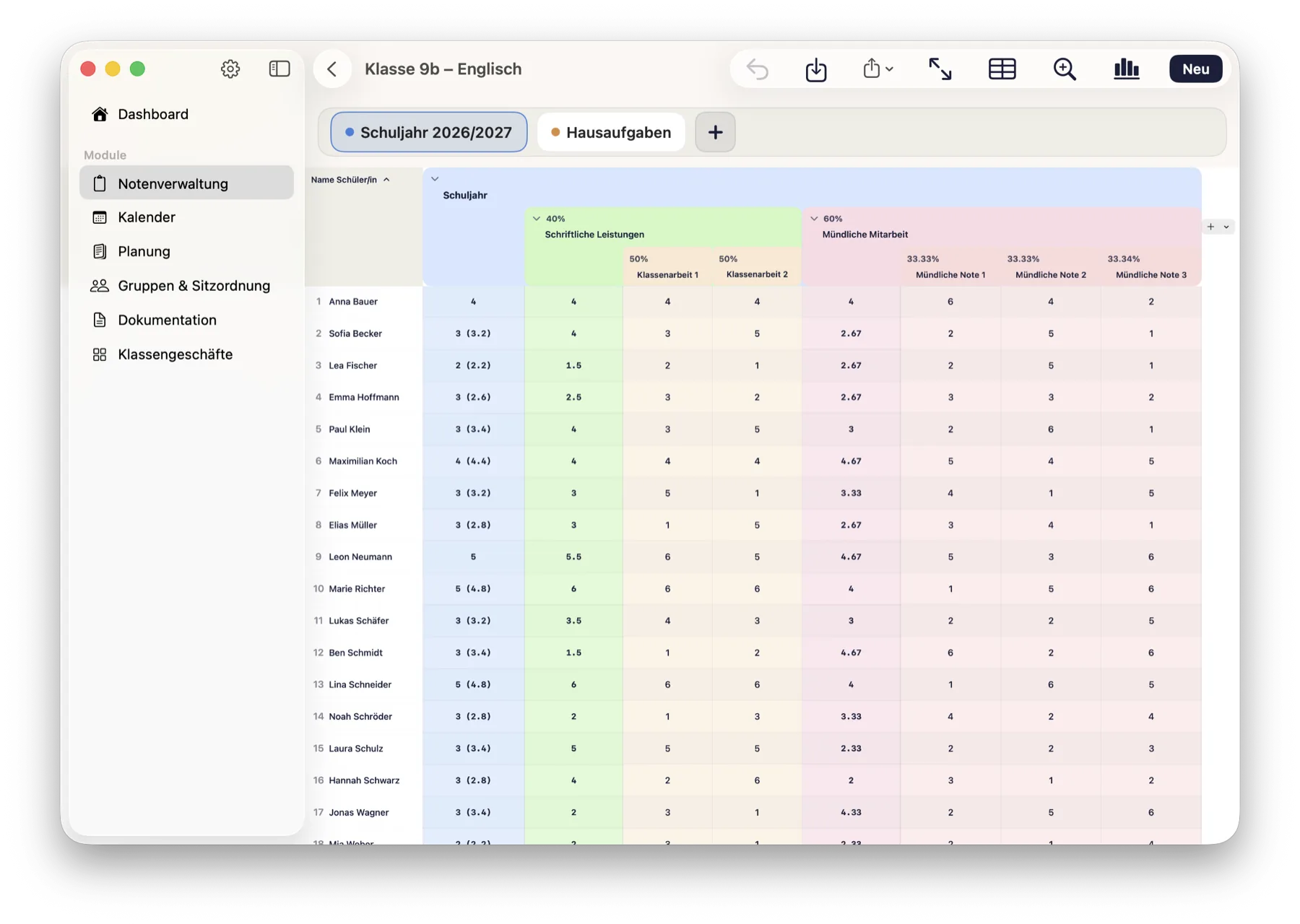
Written 40 %, oral 60 %, and the individual assessments below — the structure of the grade sits visibly above the table instead of disappearing into a formula. Every level can be collapsed.
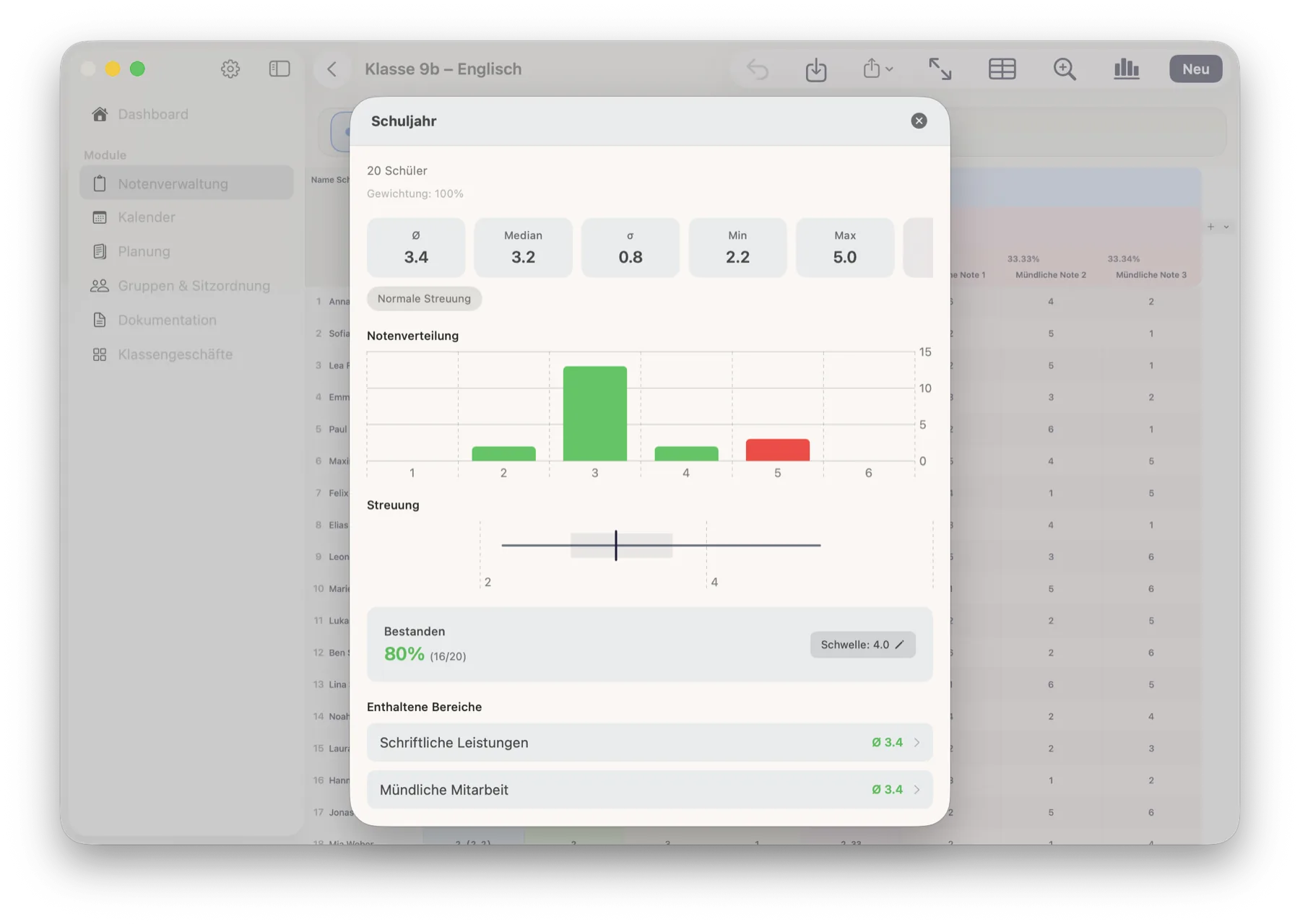
One tap on a calculation column and the class is laid out in front of you: average, median, spread, grade distribution and the pass rate. The app derives the pass mark from the scale — you can override it at any time.
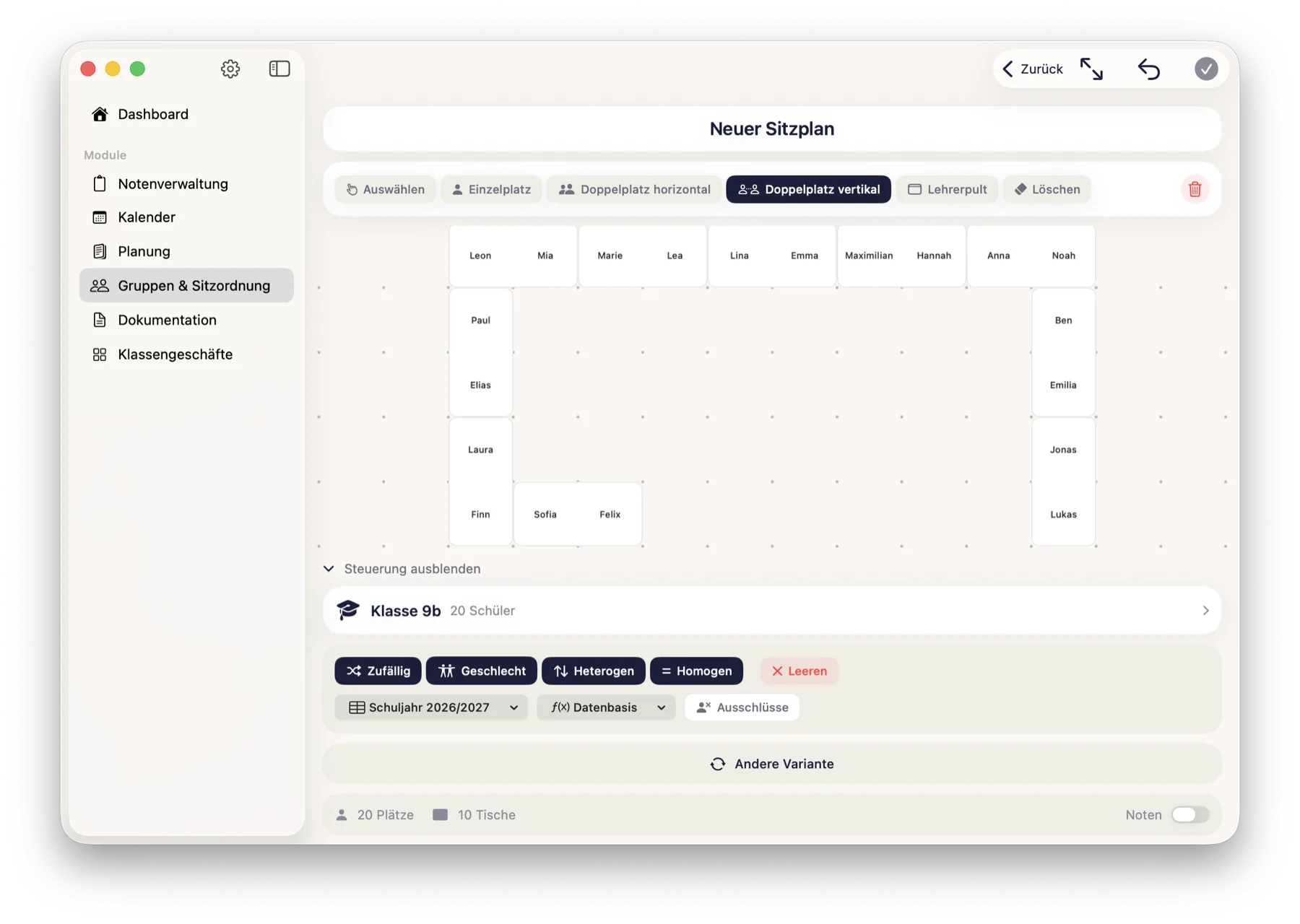
The data you already have does the work for you.
Pick the number of groups, choose a distribution mode, done. Balance gender if you want to — and move individual students by hand afterwards.
No tedious building: take the grades you already have and let the class be seated sensibly. Build the room from single and double desks, rule out unwanted neighbours, show it in presentation mode.
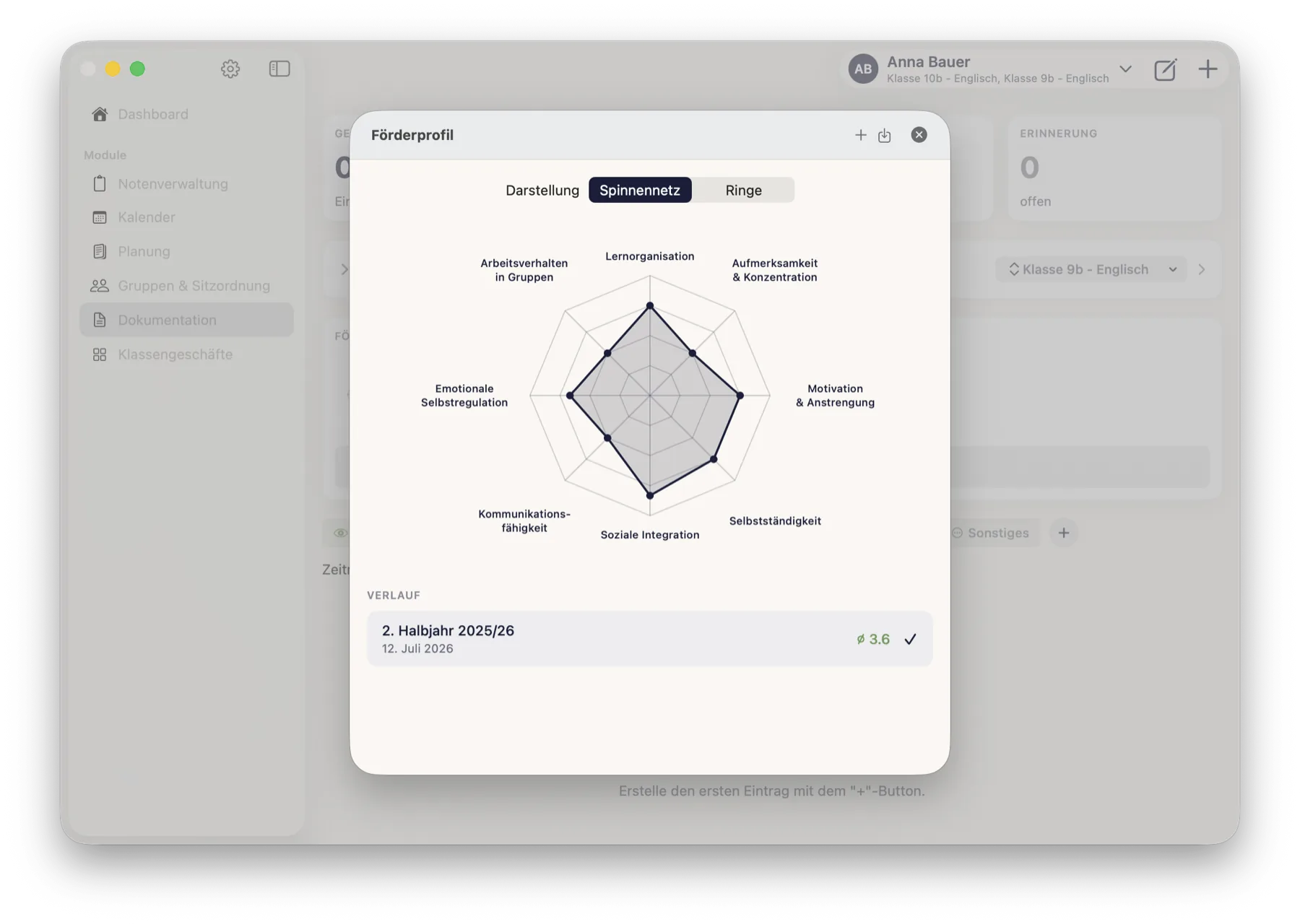
Observations, parent meetings, support measures — and a structured support profile across eight areas. Individual notes become a picture you can actually evidence in a parents' meeting.
The app is one tool. Alongside it come manuals people actually read, and training that comes out of real teaching rather than a brochure.
Step by step through every module, with screenshots from the real app. Two are finished, the rest are being written — currently in German only.
Training, workshops and materials for schools — on AI in lesson preparation, the legal side, and a properly digital teaching routine. In preparation.
 ClassTiles