Two tools, one principle: take the grades you already have and let the app do the work. Groups come together in three steps, seating plans in a few moves.
Groups in three steps
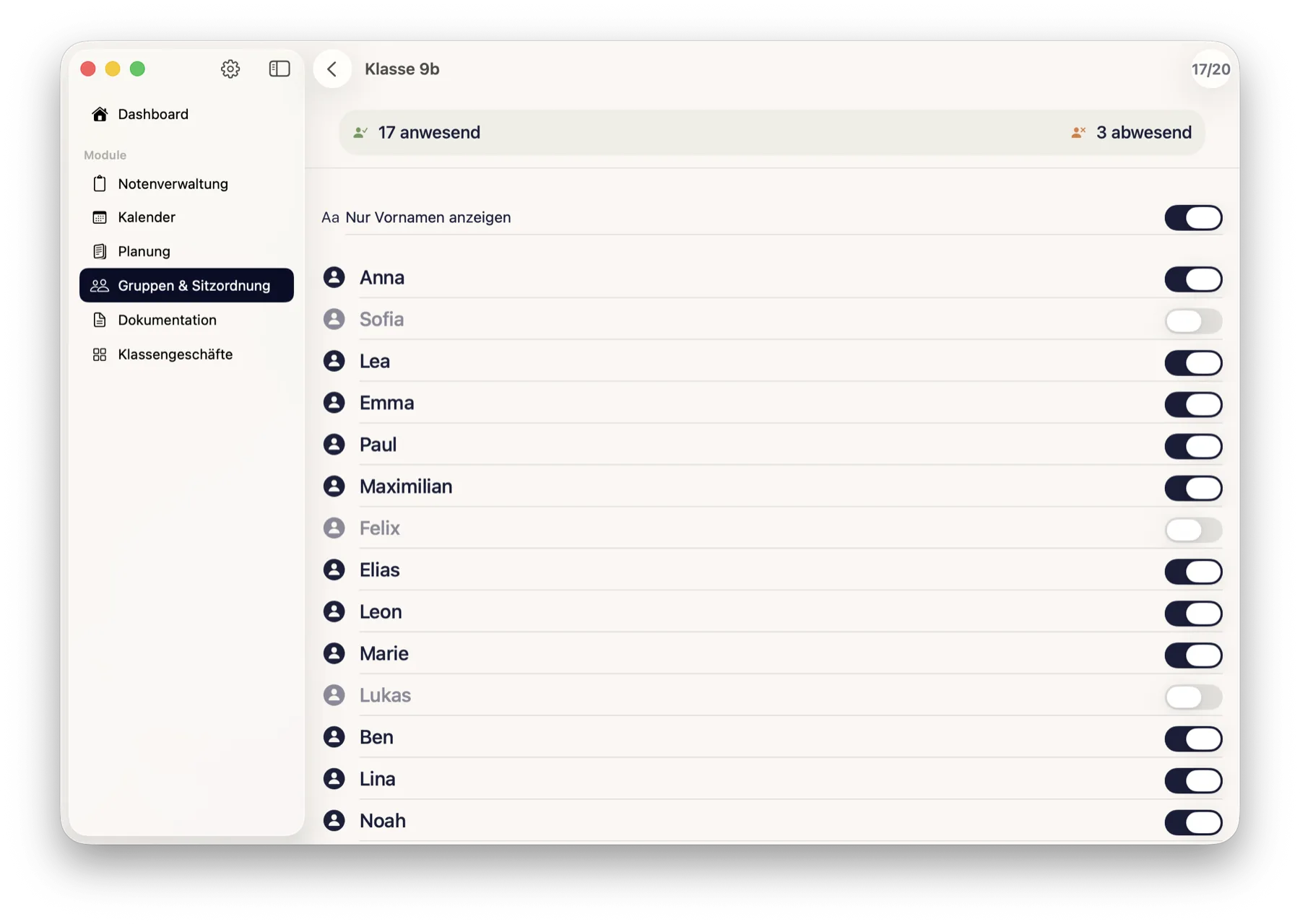
Attendance — who is here today? With first names only, if you want to hold the tablet up to the class.
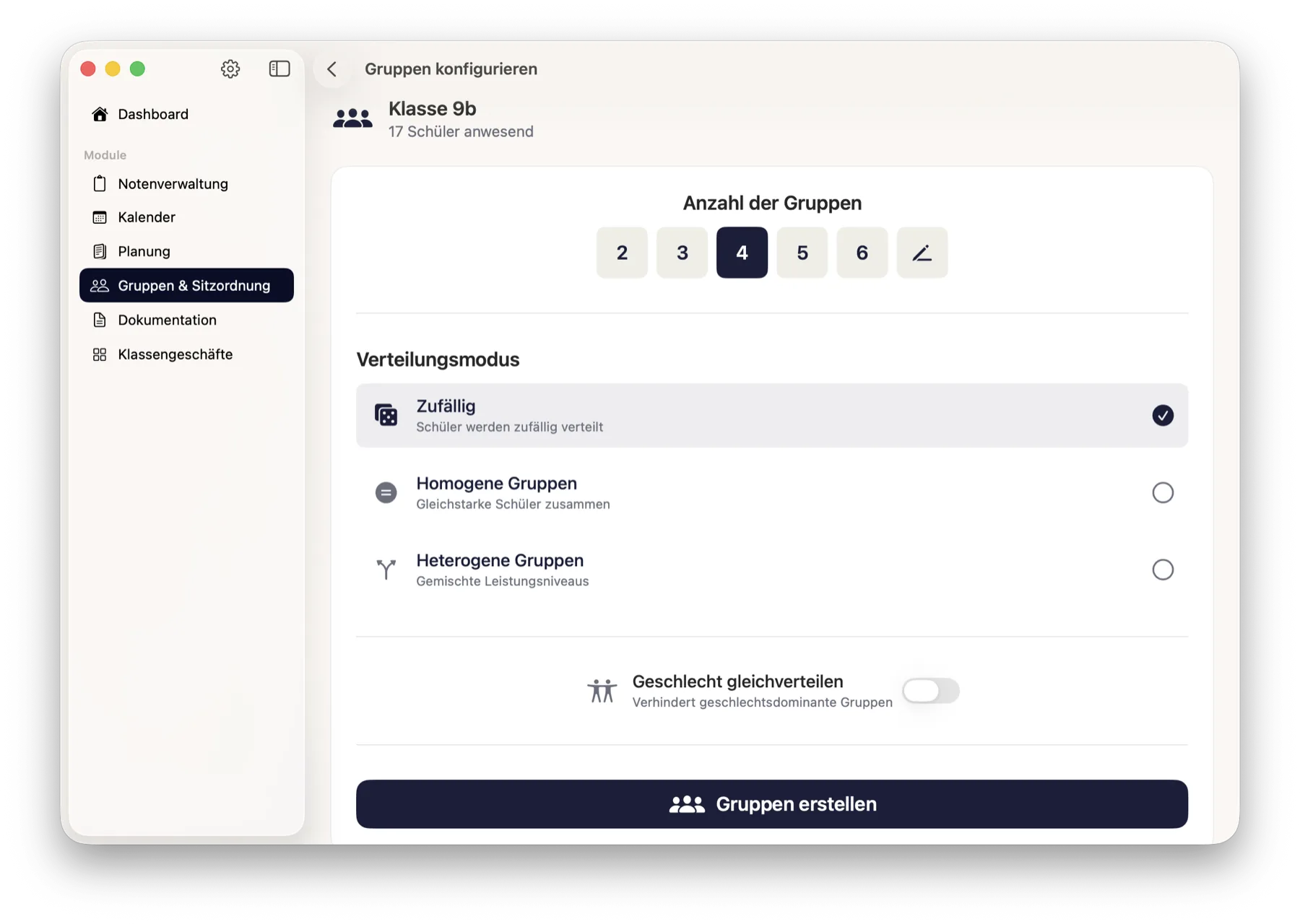
Configuration — the number of groups, the distribution mode, and optionally balance gender so that no group tips over.
Result — every group shows its average, spread and range. If something doesn't fit, roll another variant or move individual children by hand. There is a presentation mode for the lesson itself.
Three distribution modes
Random — pure draw.
Homogeneous — children of similar attainment together.
Heterogeneous — mixed levels of attainment.
As the data basis you pick a grade tab and, within it, either the overall grade or a single column. Individual children can additionally be marked as high achiever or needs support.
Seating plans
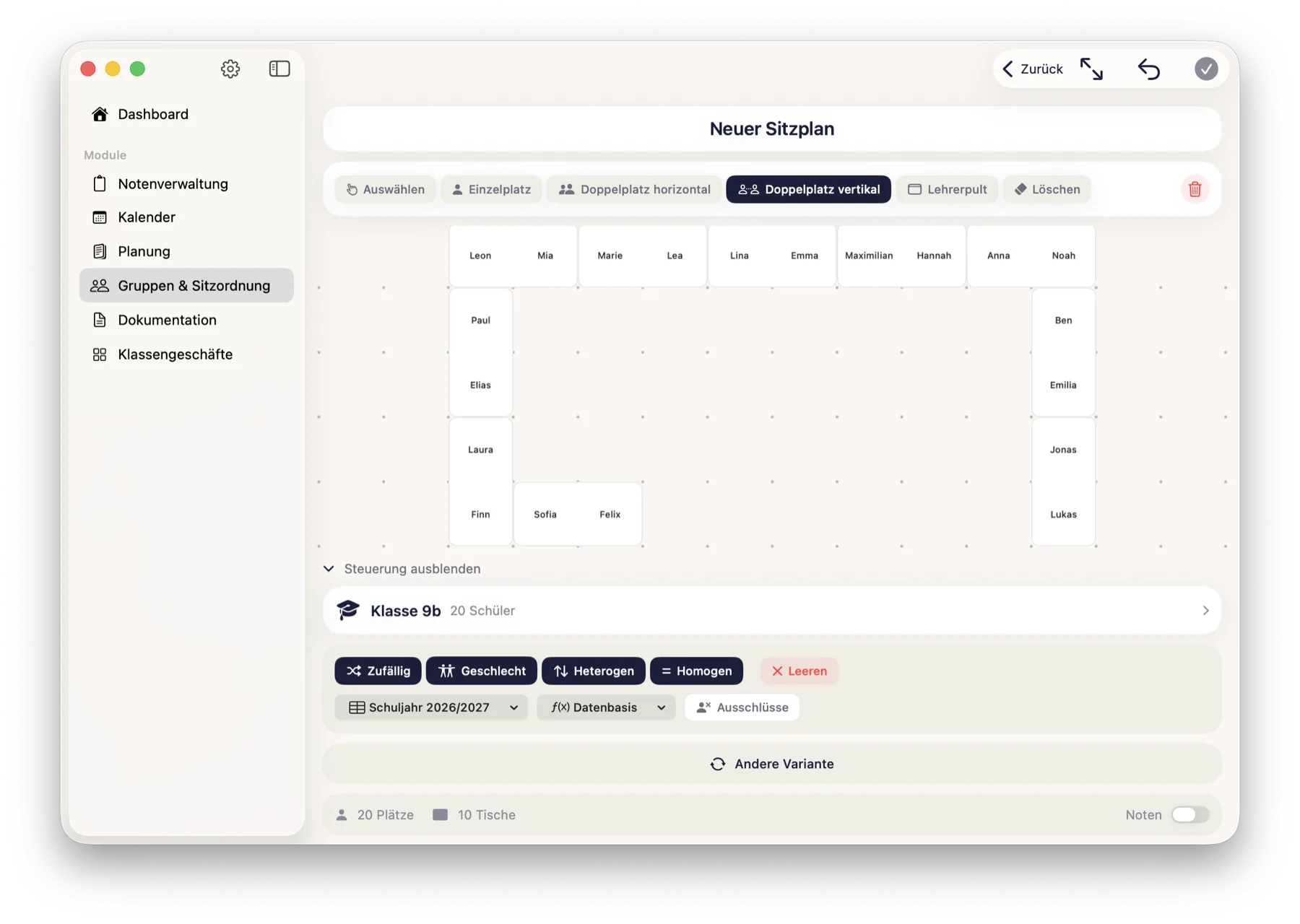
Build the room from single desks, double desks (vertical ones too) and a teacher's desk.
Assign a class, then distribute: randomly, by gender, heterogeneously or homogeneously — the attainment-based variants again read a grade tab.
Define exclusions: which two children should not sit next to each other.
Presentation mode for the class, plus PDF and sharing.
1Attendance: who is here today? With first names only, if you like — the selection applies to this assignment and is not stored.2Configuration: the number of groups, the distribution mode — random, homogeneous or heterogeneous — and gender balancing if you want it.3Seating plan: place the desks, assign the class, let it distribute — the app honours your exclusions while doing so.
How it connects
This module creates no data of its own — it reads classes, students and the grades of a tab from Grades. That is why importing the class list once is enough for everything.
What it deliberately does not do
The attendance selection is not stored. It applies to this one assignment — and is explicitly not an attendance register.
The markers high achiever and needs support are deliberately transient too: they help with this assignment and then disappear. The app is not meant to build a permanent label on a child.
A group result cannot be exported as a PDF — a seating plan can.
 ClassTiles