Everything that counts alongside the grade: categorised entries with attachments and reminders, a timeline per category, the child's grade history — and a structured support profile across eight areas.
Entries
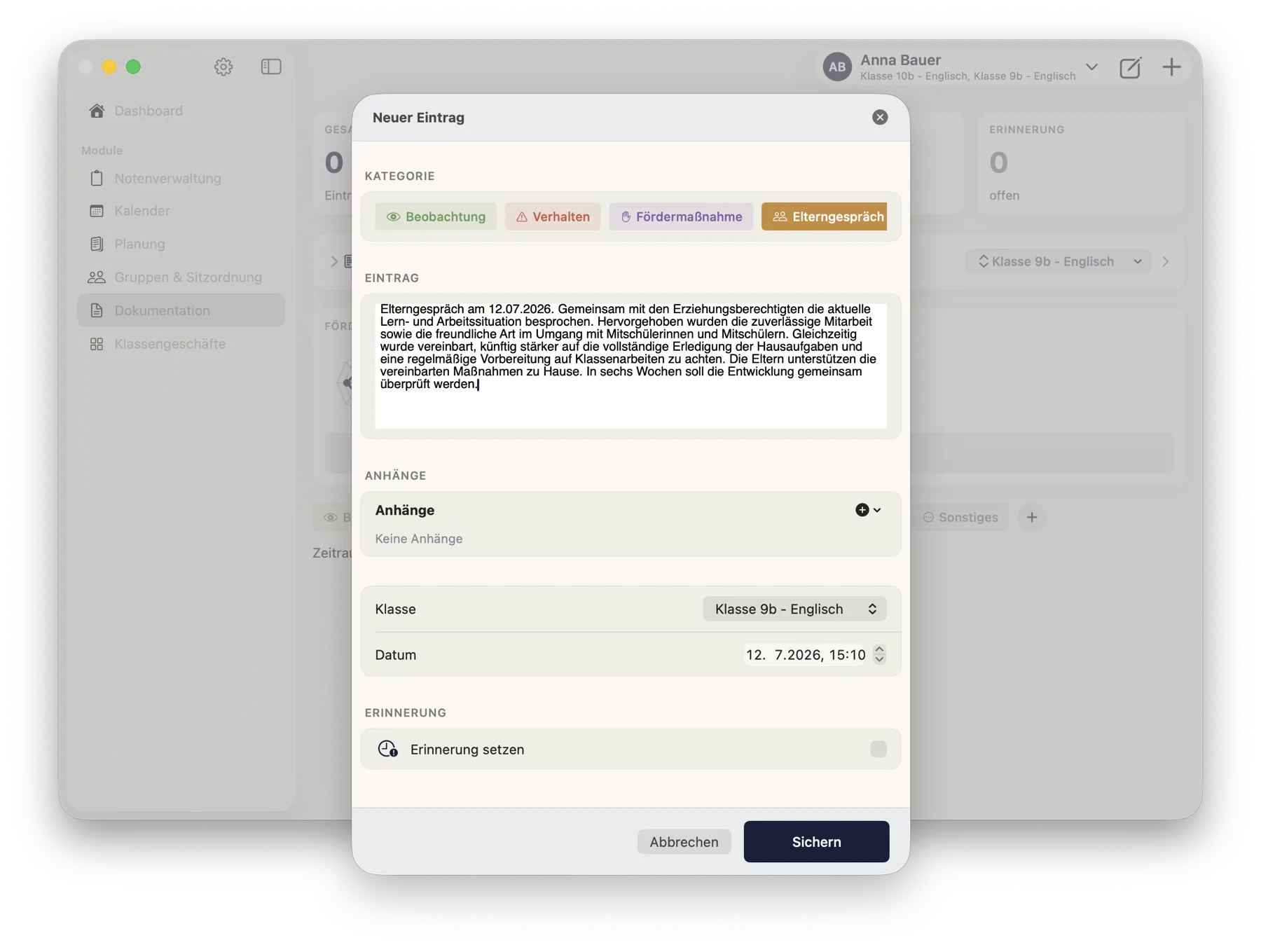
Six categories: observation, behaviour, support measure, parent meeting, accommodation, other — plus your own categories with nine colours and twelve symbols.
Attachments: take a photo, pick a photo, or attach a PDF.
Set a reminder — with a date and a done switch. Due and overdue reminders appear as a notice on the module.
A quick note for the moment between two lessons.
Keeping an overview
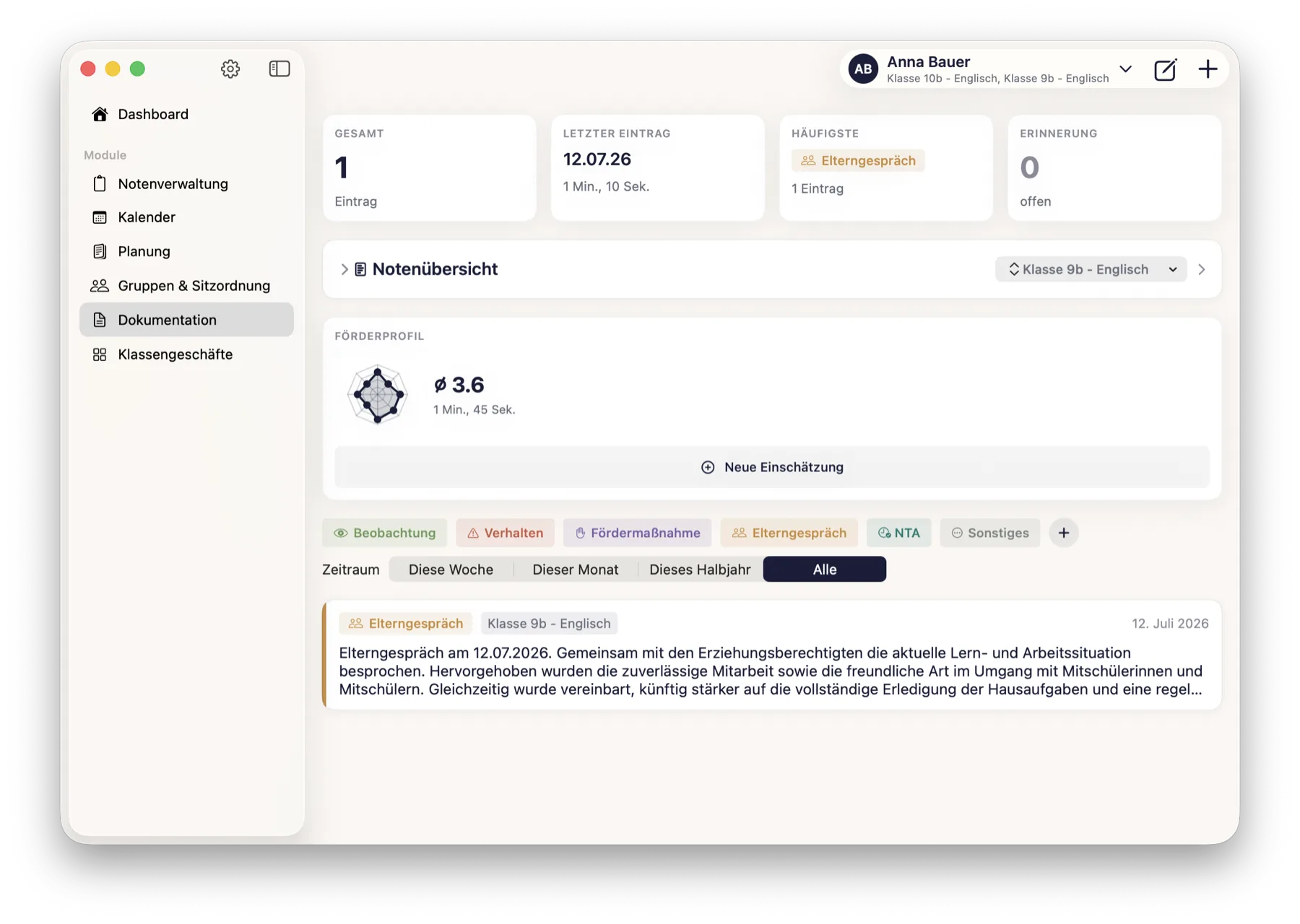
One card per child with the total, the last entry, the most frequent category and any open reminder.
A timeline per category shows when things cluster — with a monthly distribution and the month of the highest concentration. Individual observations become a pattern you can actually evidence in a parents' meeting.
The child's grade history sits right inside the record — read from the grade tables, not maintained twice.
Support profile
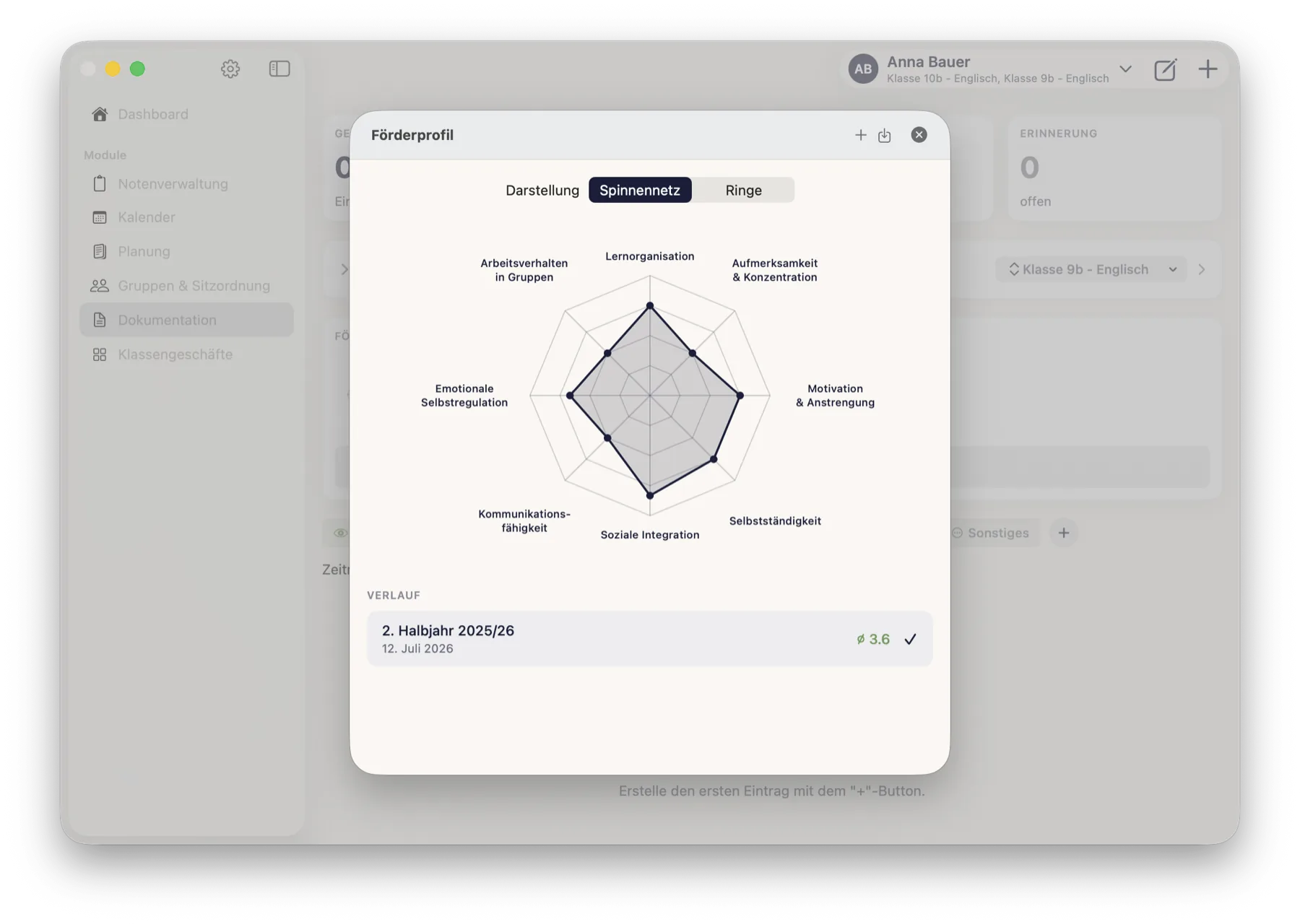
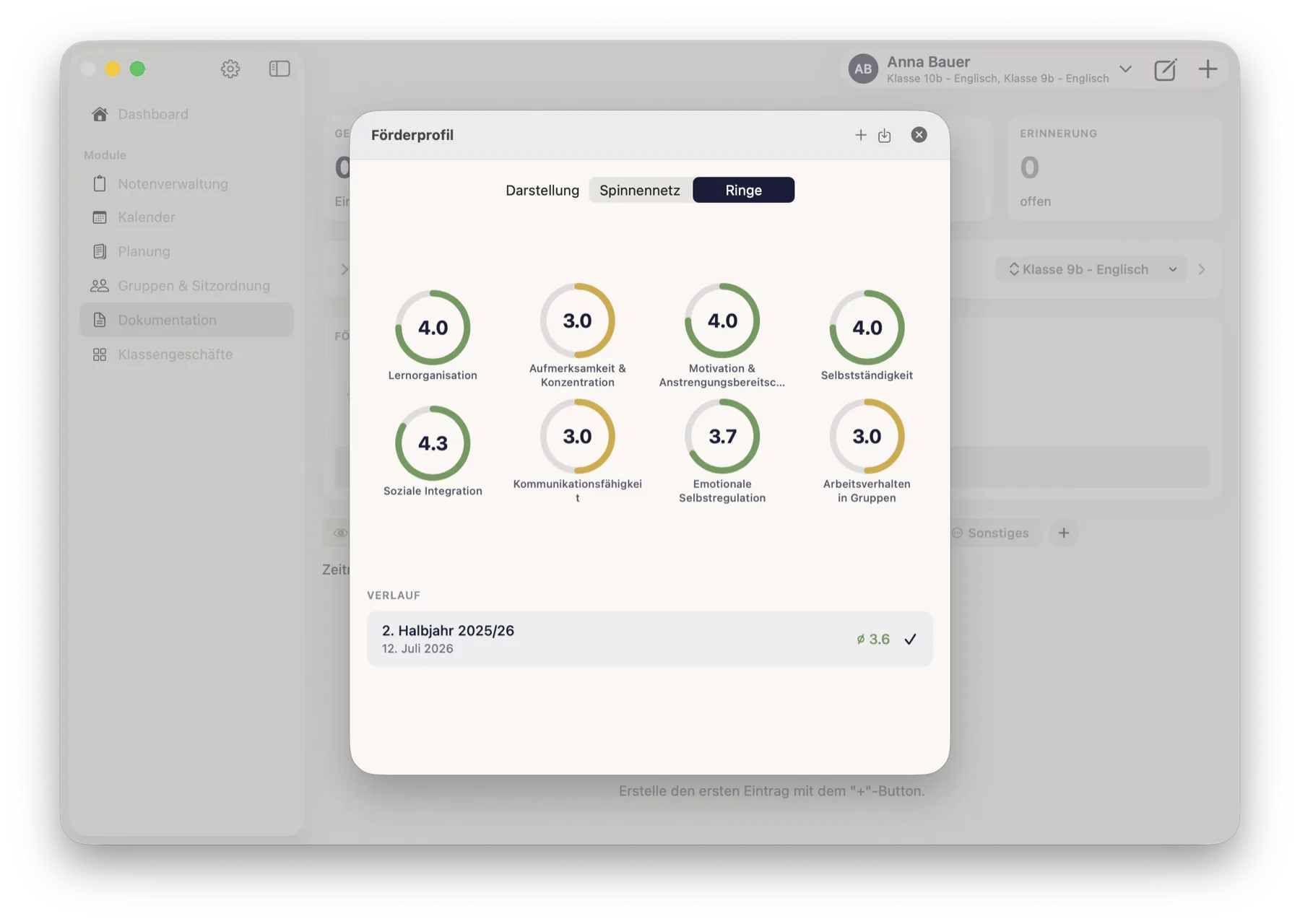
Eight areas: learning organisation · attention & concentration · motivation & willingness to make an effort · independence · social integration · communication skills · emotional self-regulation · working behaviour in groups.
24 statements, three per area, on a five-point scale — with an explicit not observable option. An area is only scored if at least two of its three statements have been answered.
The result as a radar or rings, with the bands needs support, observe and strength — and a history of earlier assessments.
Output
The complete record as a PDF: entries by category, grade overview and grade histories.
The support profile as its own PDF, with category scores and individual answers.
The record at a glance: total, last entry, most frequent category and open reminders — plus the grade overview read from the grade tables and the support profile.A new entry: pick a category, write, optionally add an attachment and a reminder. The class is already filled in.The support profile across eight areas — as a radar chart …… or as rings, with the score per area. Green means strength, amber means keep an eye on it.
How it connects
Entries and support profiles belong to a student and a class — the same ones you created in Grades. The grade history in the record is read from the grade tables and only displayed there, never changed.
What it deliberately does not do
Attachments are limited to images and PDFs — no audio, video or office files.
The support profile is a structured assessment by the teacher — not a psychometrically validated diagnostic instrument. That sentence is printed in the exported PDF too, so it does not get lost.
Data protection: information on support needs and accommodations may constitute special categories of personal data under Art. 9 GDPR. For official use, clarify what your federal state requires — the app does not ask for such information on its own.
 ClassTiles